



Every 7 seconds your team waits for a task to load, organizational momentum dies.
If you're leading a fast-moving engineering or operations team, those seconds add up to stalled sprints, lost focus, and rising frustration.
What was once marketed as an “all-in-one” productivity platform has now become a bottleneck—one that mid-market CTOs and Ops leaders can no longer afford in 2026.
Over the last two years, ClickUp’s growing technical debt, inconsistent mobile performance, and increasingly heavy interface have hindered team productivity.
Load times that stretch 7–10 seconds per task break flow state and introduce micro-delays that compound across the organization.
As companies scale, this latency transforms from a minor annoyance into an operational risk.
This blog breaks down why ClickUp has slowed, what that means for productivity-driven teams, and why AI-native platforms like Kroolo are emerging as the faster, consolidated alternative powering the next decade of work.
Over the last year, many teams have been asking the same question: “Why does ClickUp feel slower than it used to?”
While ClickUp remains a popular all-in-one work management tool, recurring user feedback highlights performance, usability, and scalability issues that are becoming increasingly difficult to ignore—especially for fast-moving teams in 2026.
This article breaks down why users are experiencing slowdowns and what faster, modern alternatives are gaining attention.
One of the most consistent complaints is slow loading times.
Users report:
For teams working in real time—client calls, standups, or deadline-heavy sprints—these delays interrupt flow and reduce productivity. As projects scale, performance degradation becomes more noticeable, especially in complex workspaces.
|
|
|
|
|
|
|
|
|
|
|
|
|
|
|
|
This is the hidden Toggle Tax—the friction created by switching between slow screens, stale data, and scattered tools.
Why this matters in 2026: Teams expect tools to keep up with growth, not slow down as usage increases.
ClickUp’s flexibility is often cited as both a strength and a weakness.
Many users say:
Instead of accelerating collaboration, teams often spend weeks just learning how to use the system effectively.
Modern expectation: Work tools should feel intuitive within hours—not require internal training sessions.
Despite its broad feature set, users frequently report missing or limited functionalities in areas they rely on daily.
Common frustrations include:
This leads to workarounds, added integrations, and fragmented workflows—the opposite of what an all-in-one platform promises.
As teams grow, structure matters more than flexibility.
Users mention:
What works for small teams can feel cluttered and inefficient for larger or cross-functional organizations.
Another recurring theme is UI fatigue.
Many users feel:
In 2026, teams expect clarity, speed, and visual simplicity—not tool fatigue.

By 2026, teams will no longer be looking for just another “all-in-one” tool. They want intelligent systems that reduce effort, think ahead, and move fast. Based on how teams describe their ideal workflows today, a few expectations are becoming clear.
Modern teams don’t want AI as a button—they want AI as a teammate.
That means:
This is where platforms like Kroolo stand apart—built as AI-native from the ground up, rather than retrofitting AI onto an existing system.
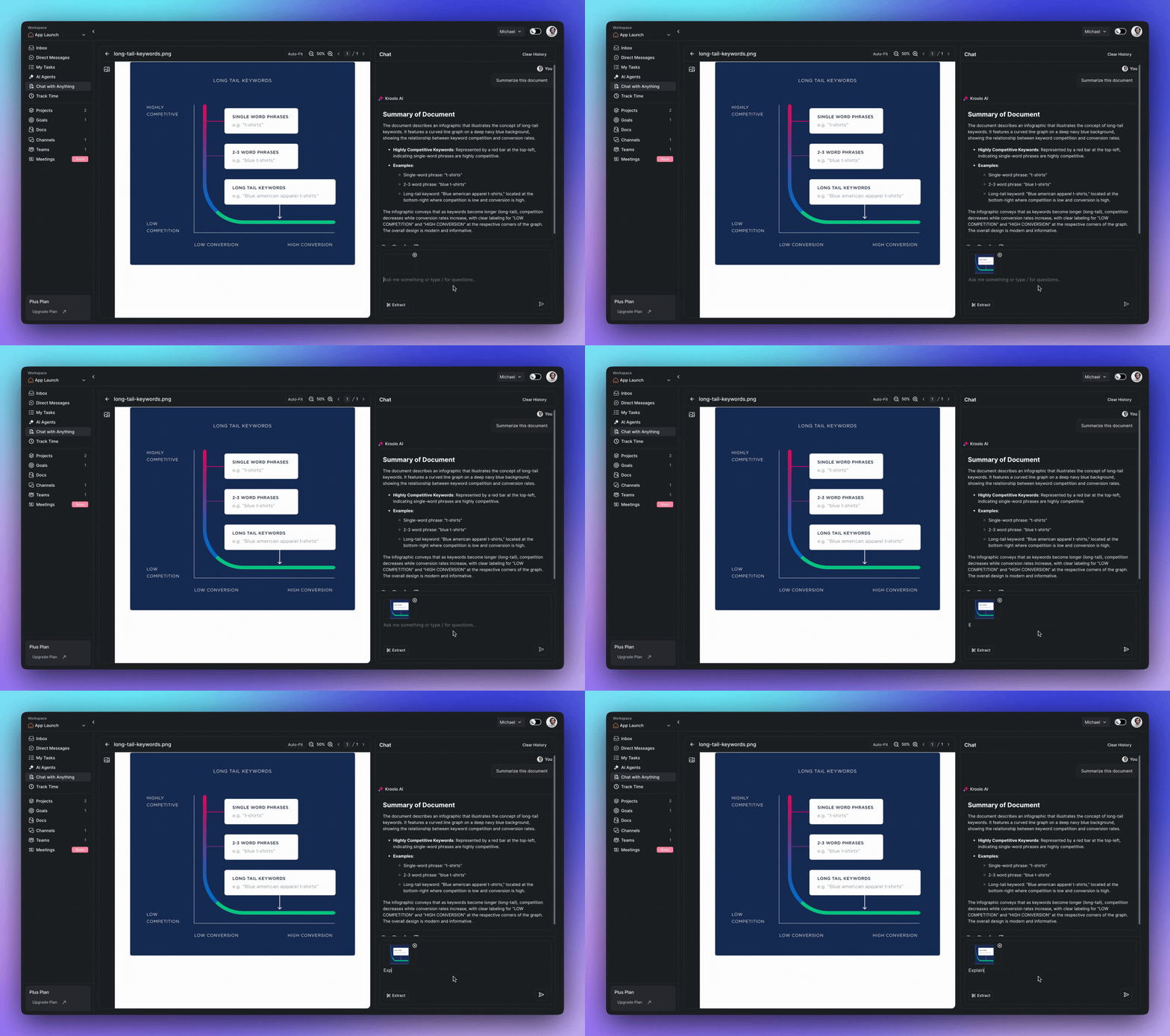
Teams are tired of jumping between tools to find answers.
In 2026, they expect to:
Kroolo’s Chat with Anything approach reflects this shift toward conversational workspaces where information is accessible, not buried.

Manual setup is becoming unacceptable. Teams now expect:
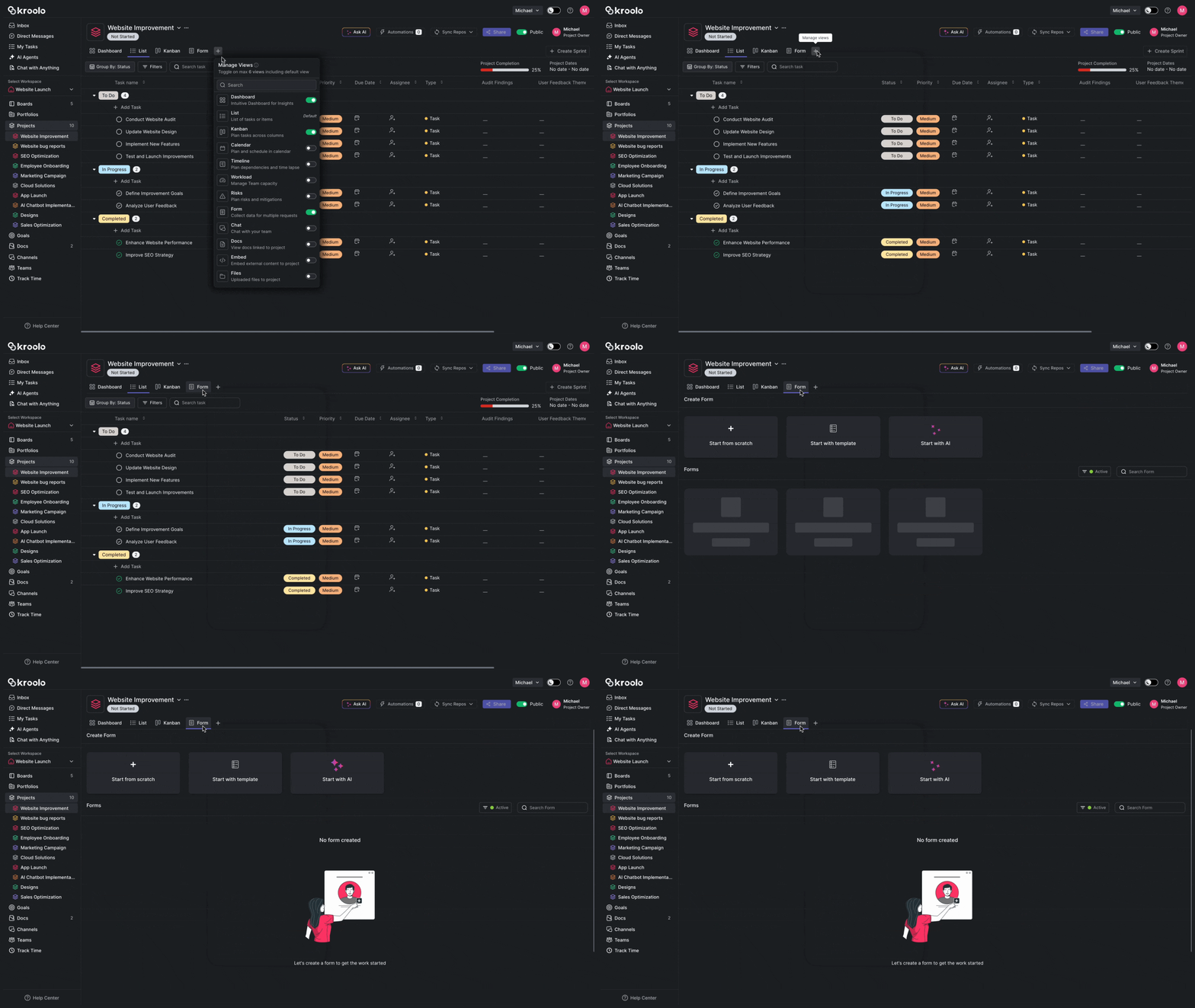
With AI-powered project generation, Kroolo removes the friction that many users experience during initial setup in traditional tools.
Instead of guessing how to organize work, teams want the system to help.
That includes:
This directly addresses complaints around poor organization and missing structure that teams report in older platforms.
Data should work for teams—not the other way around.
In 2026, teams expect:
Kroolo’s AI-generated dashboards and insights reflect this move toward decision-ready data.
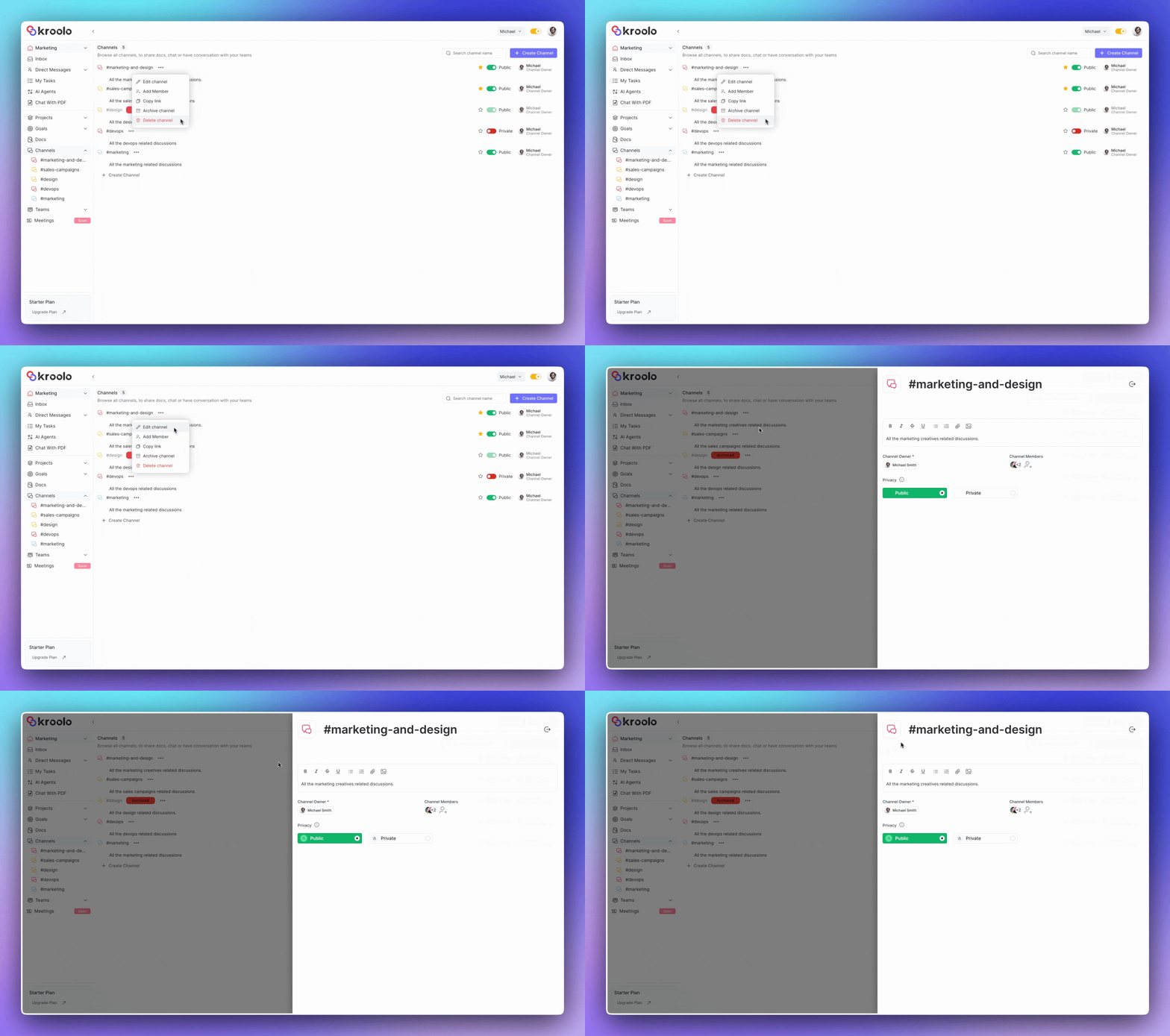
Finally, collaboration shouldn’t feel fragmented.
Modern teams prefer:
Instead of overwhelming users with complexity, platforms like Kroolo focus on clarity, speed, and contextual collaboration.
For many teams, ClickUp starts as a productivity upgrade—but over time, it becomes another layer of friction. Boards grow heavy. Setup takes longer. Performance slows exactly when velocity matters most.
One 75-person operations team learned this the hard way—and decided to move to Kroolo.
The team was managing dozens of active projects inside ClickUp, spread across multiple spaces and folders. Sprint setup, board maintenance, and task re-organization had become a recurring time sink. Every new initiative meant hours of manual configuration before real work could begin.
They didn’t want another long migration or weeks of re-training. They needed speed—without disruption.
Instead of rebuilding everything from scratch, the team used an Integration tool.
Inside Kroolo, they simply:
Selected the workspace where the projects should live
Navigated to the Projects section
Choose Import Projects and connect their ClickUp workspace
Selected the required teams, spaces, and project boards
Imported everything into Kroolo with a single click
All ClickUp boards, tasks, and structures were organized into existing or new folders—consolidating multiple projects into one centralized workspace.
What usually takes days of manual recreation happened in minutes.
Once the projects were imported, the real transformation began.
The team uploaded a 40-page project brief PDF and used Kroolo’s AI to rebuild the work intelligently—not just copy it.
Using AI Task Planning and Prompt-to-Project, Kroolo automatically generated:
A complete, structured project board
Tasks with clear priority levels
Dependencies and milestones
Owner assignments
Clean documentation summaries
What previously required 6–8 hours of manual setup in ClickUp was completed in 35 seconds.
No configuration fatigue. No ticket grooming. No guesswork.
Because Kroolo is fast, clean, and AI-native by design, adoption was immediate.
The entire 75-person team was fully operational within a day:
No re-training sessions
No complex workflows to learn
No performance lag when boards are loaded
Sprint execution started almost immediately after migration.
By switching from ClickUp to Kroolo, the team experienced:
Faster project setup with zero manual planning overhead
Immediate performance improvements—no lag, no load delays
Automated task creation instead of manual breakdowns
Faster onboarding for new team members
Most importantly, senior team members stopped spending time maintaining tools and started focusing on execution.
The takeaway:
Migration doesn’t have to slow teams down. With Kroolo, moving off legacy tools like ClickUp becomes the starting point for AI-native velocity—not another operational burden.
Conclusion
ClickUp’s slowdown is a symptom of legacy architecture hitting its limits. The future belongs to AI-native systems that automate execution—not tools that require endless configuration and slow load times.
The big takeaway:
👉 ClickUp = feature-heavy, slow, overly complex
👉 Kroolo = fast, intelligent, unified
Teams don’t need another “all-in-one tool.”
They need a WorkOS that does the work with them, not against them.
It’s time to stop managing the tool and start automating the work.
Sign up with Kroolo to escape ClickUp lag and experience Kroolo — the high-speed, AI-native WorkOS.